
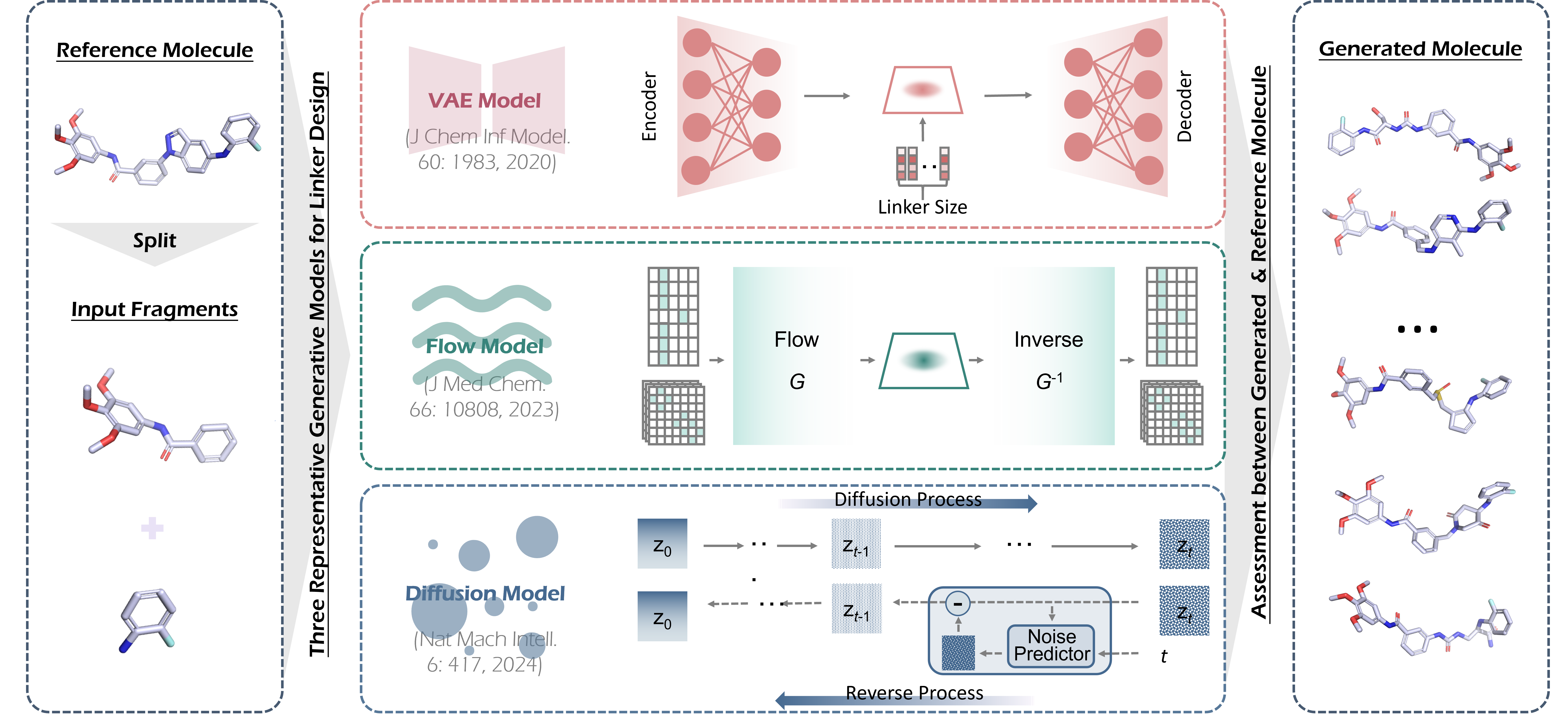
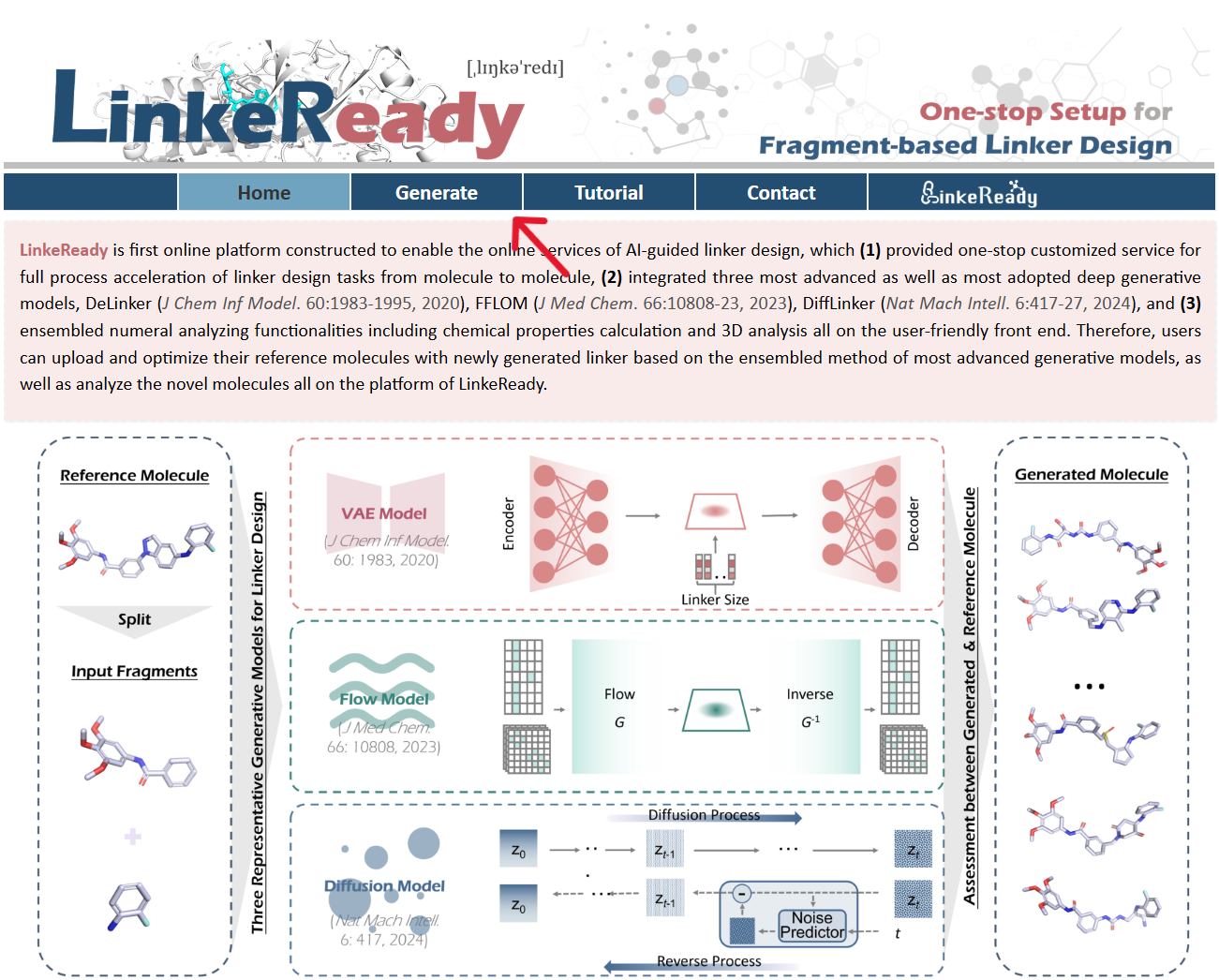
LinkeReady is first online platform constructed to enable the online services of AI-guided linker design, which (1) provided one-stop customized service for full process acceleration of linker design tasks from molecule to molecule, (2) integrated three most advanced as well as most adopted deep generative models, DeLinker (J Chem Inf Model. 60:1983-1995, 2020), FFLOM (J Med Chem. 66:10808-23, 2023), DiffLinker (Nat Mach Intell. 6:417-27, 2024), and (3) ensembled numeral analyzing functionalities including chemical properties calculation and 3D analysis all on the user-friendly front end. Therefore, users can upload and optimize their reference molecules with newly generated linker based on the ensembled method of most advanced generative models, as well as analyze the novel molecules all on the platform of LinkeReady.
Browser and Operating System (OS) Tested for Smoothly Running LinkeReady
LinkeReady is constructed based on Django, a python framework. It is free and open to all users with no login requirement and can be readily accessed by a variety of popular web browsers and operating systems as shown below.
Table 1 The Compatibility of Browser and Operating System
| OS | Chrome | Firefox | Microsoft Edge | Safari |
|---|---|---|---|---|
| Linux (Ubuntu 24.04) | v131.0.6778.205 | v133.0.3 | n/a | n/a |
| MacOS Sequoia 15.2 | v131.0.6778.205 | v133.0.3 | n/a | v18.1.1 |
| Windows 11 | v131.0.6778.205 | v133.0.3 | V131.0.2903.112 | n/a |
Thanks a million for using and improving LinkeReady, and please feel free to report any errors to Dr. Pan at panziqi@zju.edu.cn.
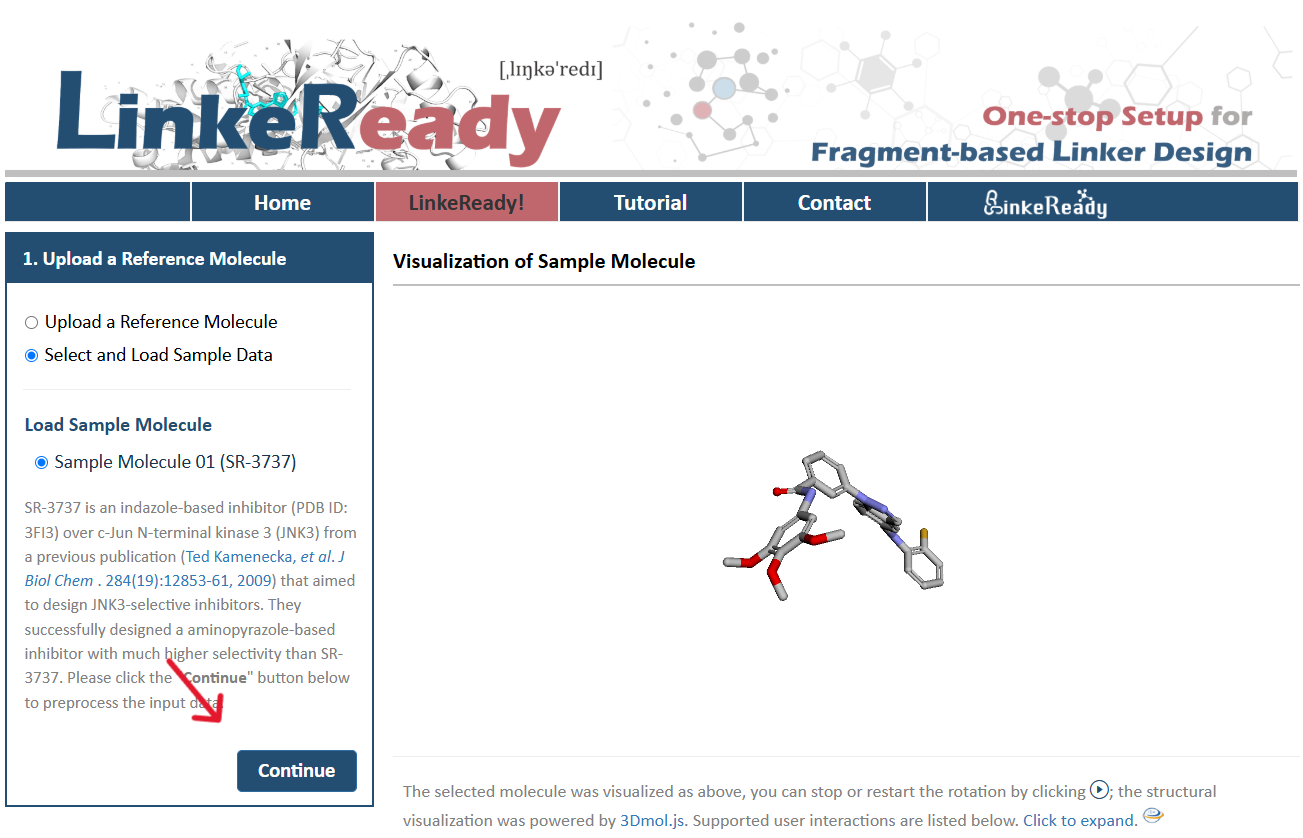
Load Sample Molecule
SR-3737 is an indazole-based inhibitor (PDB ID: 3FI3) over c-Jun N-terminal kinase 3 (JNK3) from a previous publication (Ted Kamenecka, et al. J Biol Chem. 284(19):12853-61, 2009) that aimed to design JNK3-selective inhibitors. They successfully designed a aminopyrazole-based inhibitor with much higher selectivity than SR-3737. Please click the "Continue" button below to preprocess the input data.
Visualization of Sample Molecule
The selected molecule was visualized as above, you can stop or restart the rotation by clicking ; the structural visualization was powered by 3Dmol.js. Supported user interactions are listed below. Click to expand.
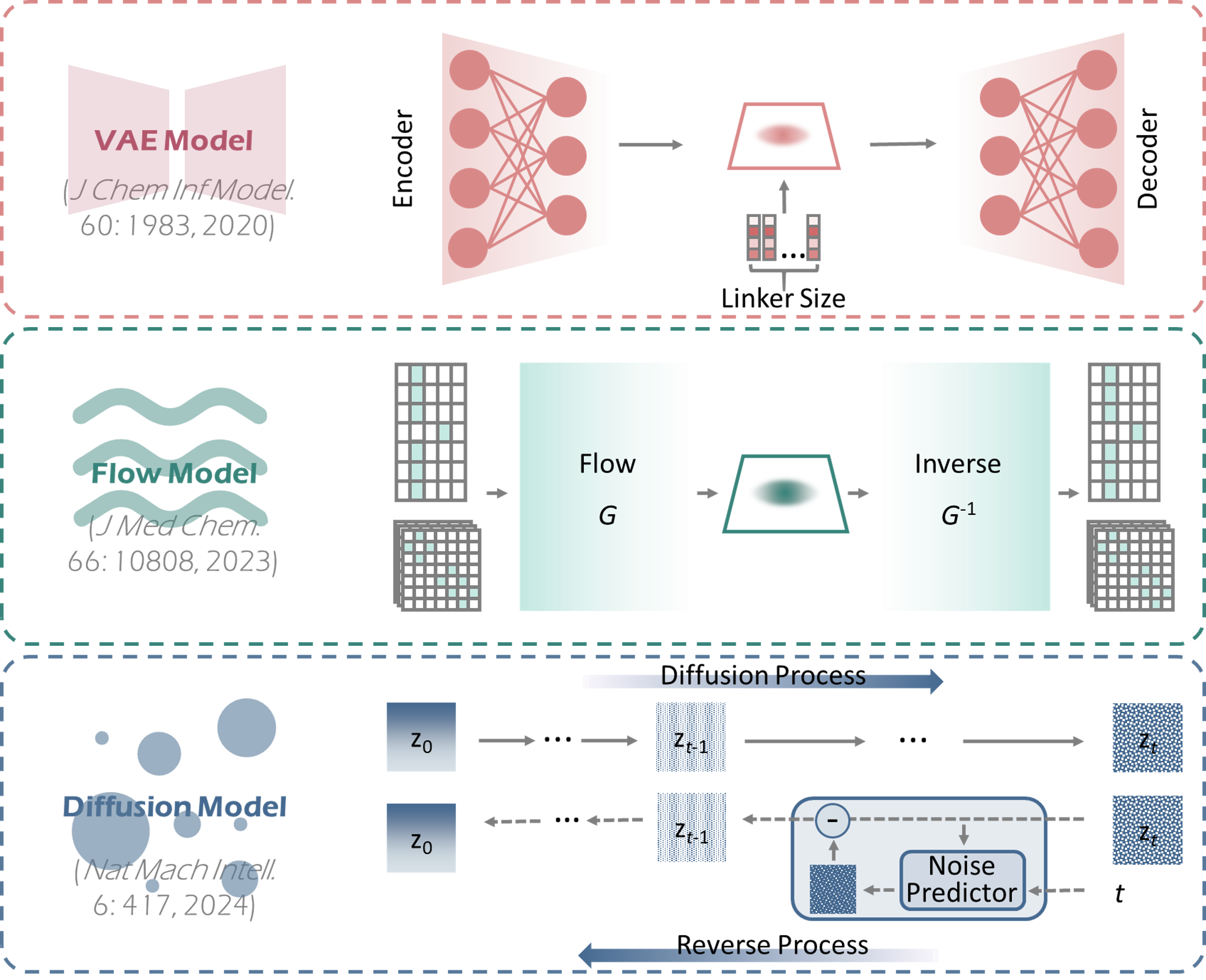
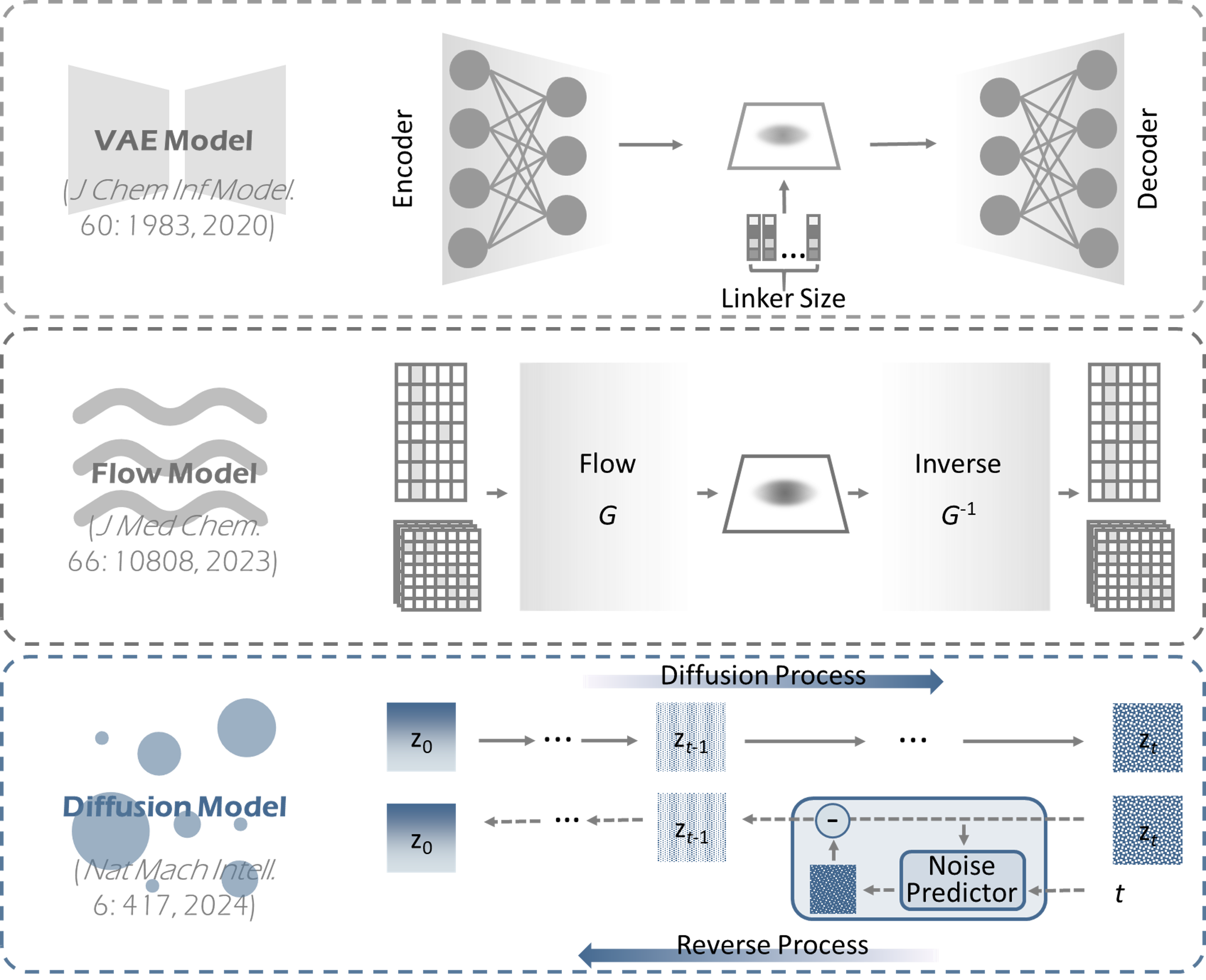
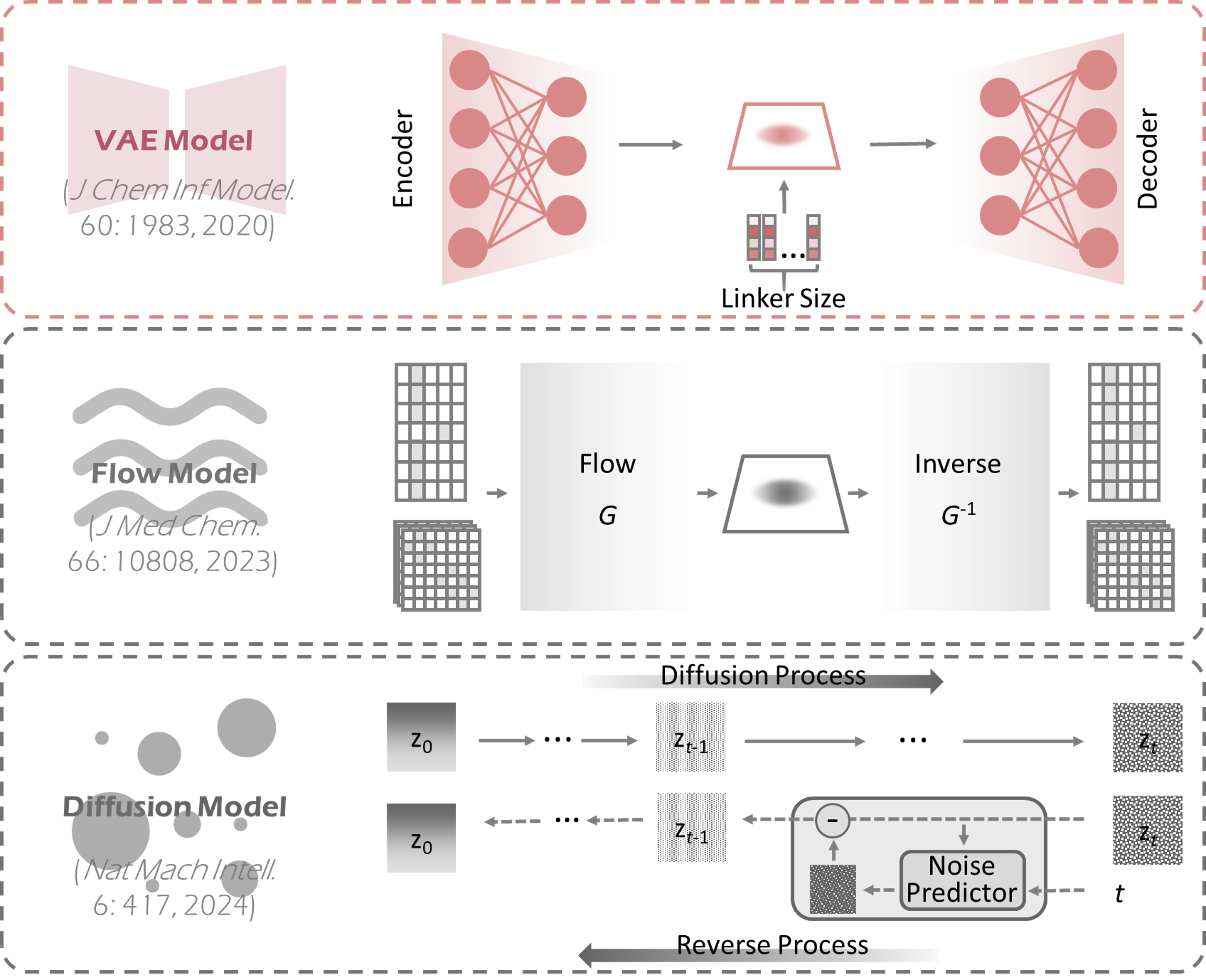
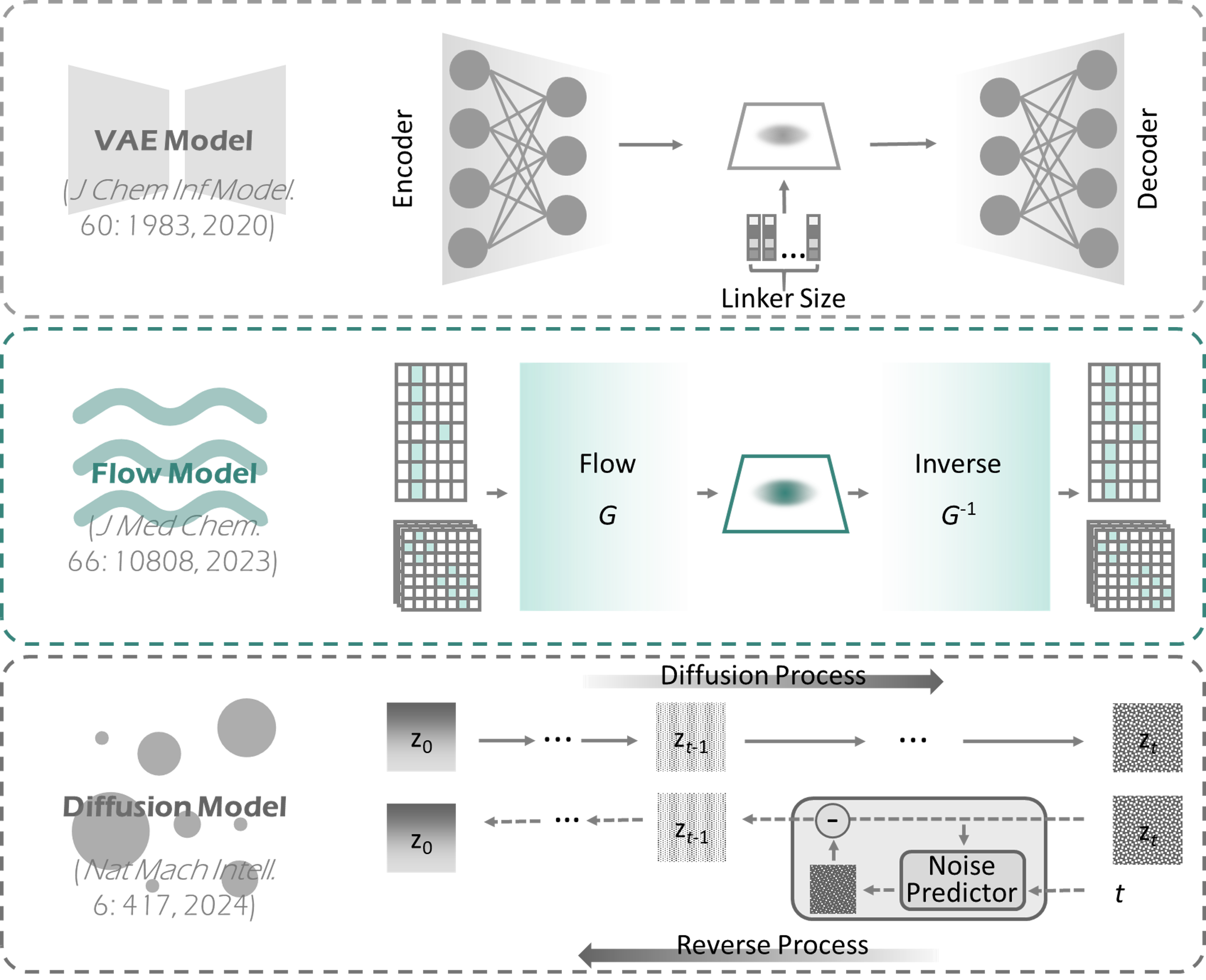
Table of Contents
1 The Compatibility of Browser and Operating System (OS)
2 Required Formats of the Input Files
3 Step-by-step Instruction on the Usage of LinkeReady
3.1 Upload a Refrence Molecule or Load the Sample Molecule Provided in LinkeReady
3.2 Reference Molecule Preprocessing for Linker-generation
3.3 Confirm the Input Fragments
3.4 Perform Linker Generation
3.5 Analyze Genrated Molecules
1 The Compatibility of Browser and Operating System (OS)
LinkeReady is powered by Django, a python framework. It is free and open to all users with no login requirement and can be readily accessed by a variety of popular web browsers and operating systems as shown below.
Table 1 The Compatibility of Browser and Operating System
| OS | Chrome | Firefox | Microsoft Edge | Safari |
|---|---|---|---|---|
| Linux (Ubuntu 24.04) | v131.0.6778.205 | v133.0.3 | n/a | n/a |
| MacOS Sequoia 15.2 | v131.0.6778.205 | v133.0.3 | n/a | v18.1.1 |
| Windows 11 | v131.0.6778.205 | v133.0.3 | V131.0.2903.112 | n/a |
2 Required Formats of the Input Files
LinkeReady requires users to upload a reference molecule with 3D coordinates in SDF format. The upload panel strictly restricts the format of uploaded files, and during the preprocess procedure, LinkeReady will examine the uploaded molecule whether it is valid to go through following process. Invalid molecule will trigger an error warning on the front end.
3 Step-by-step Instruction on the Usage of LinkeReady
The generation process is started by clicking on the "Generate" panel on the homepage of LinkeReady. The collection of web services and the whole process provided by LinkeReady can be summarized into 5 steps: (1) Uploadd a Refrence Molecule or Load the Sample Molecule Provided in LinkeReady, (2) Reference Molecule Preprocessing for Linker-generation, (3) Confirm the Input Fragments, (4) Perform Linker Generation, (5) Analyze Genrated Molecules.
3.1 Upload a Refrence Molecule or Load the Sample Molecule Provided in LinkeReady
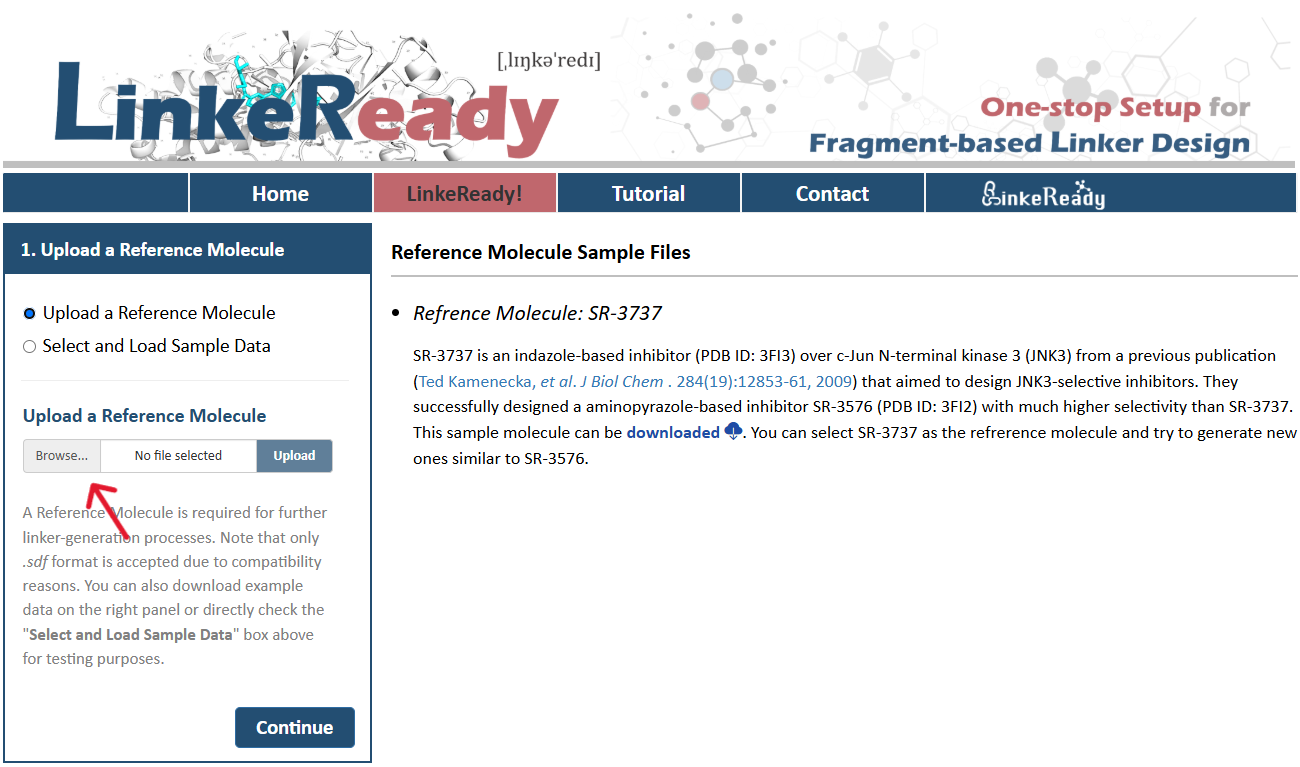
There is one radio checkboxes in STEP-1 on the left side of the LinkeReady! page. Users can choose to upload their own molecules or to directly load sample data for linker generation. After selecting "Upload a Reference Molecule" checkbox, molecules provided by users for further linker-generation can be selected by clicking "Browse" and then uploaded by clicking "Upload". It is noteworthy that only .sdf format is accepted due to compatibility reasons. On the right side of the page, there are an introduction and download links of several example molecules.
Example molecules are also provided in this step facilitating a direct access of LinkeReady. After selecting "Select and Load Sample Data", there are checkboxes for the example molecules and a corresponding introduction on the left side of the page. The visualization of selected molecule is on the right side of the page, users can stop or restart the rotation by clicking. By clicking the "Continue" button, the molecule selected can be uploaded for further linker-generation.
3.2 Reference Molecule Preprocessing for Linker-generation
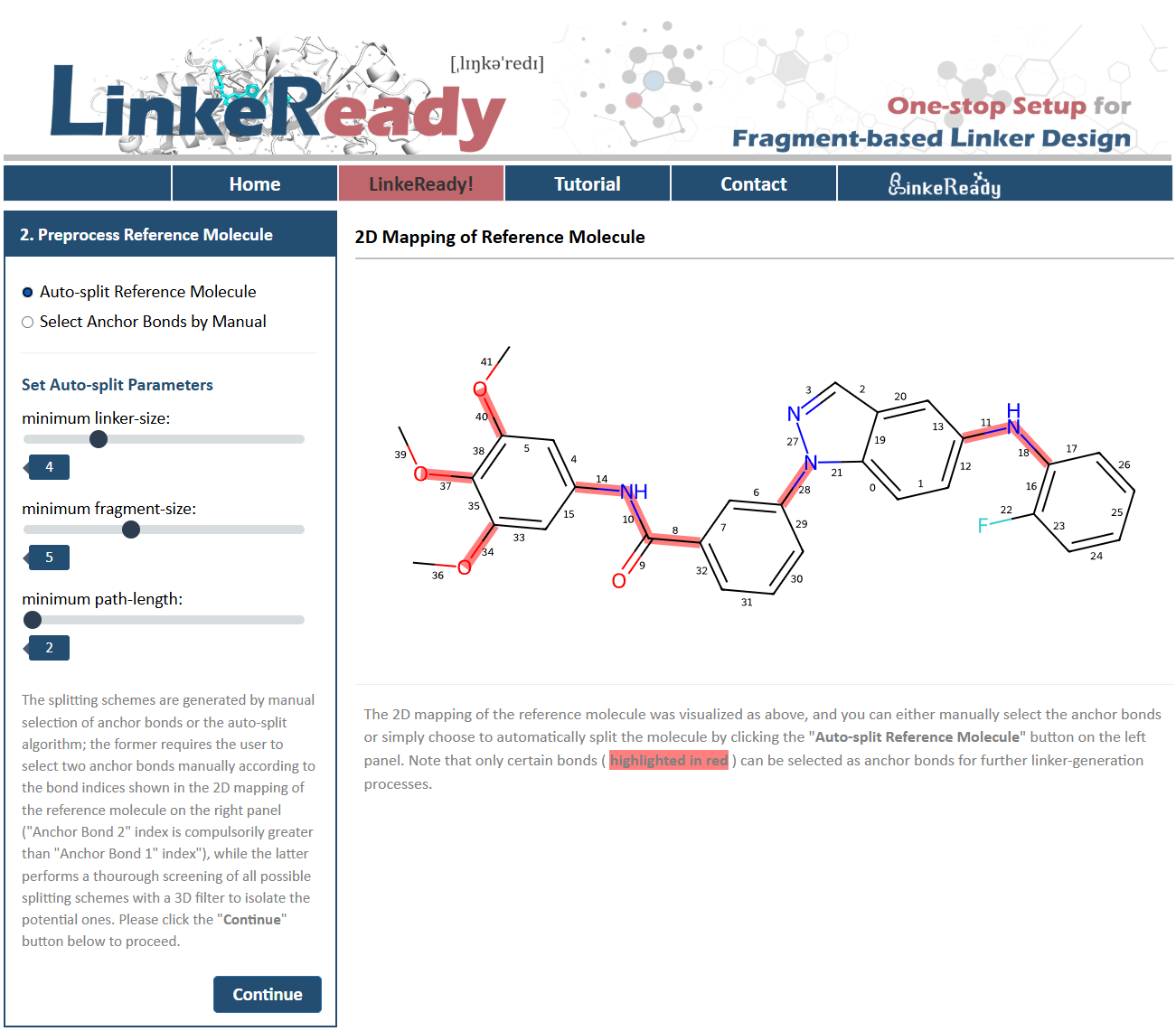
For further linker-generation, the selected molecule first needs to be split into two parts. The splitting schemes of LinkeReady are generated by manual selection of anchor bonds or the auto-split algorithm. The 2D Mapping of Reference Molecule is shown on the right side of the page, with each bond numbered. By selecting "Auto-split Reference Molecule", LinkeReady can automatically perform a thourough screening of all possible splitting schemes with a 3D filter to isolate the potential ones. Users only need to set auto-split parameters, including minimum linker-size, minimum fragment-size and minimum path-length, on the left side of the page. Minimum linker-size is the minimum number of atoms included in the linker; minimum fragment-size is the minimum number of atoms included in any of the fragments; minimum path-length is the minimum number of the shortest path (continuous chemical bonds) between two fragments.
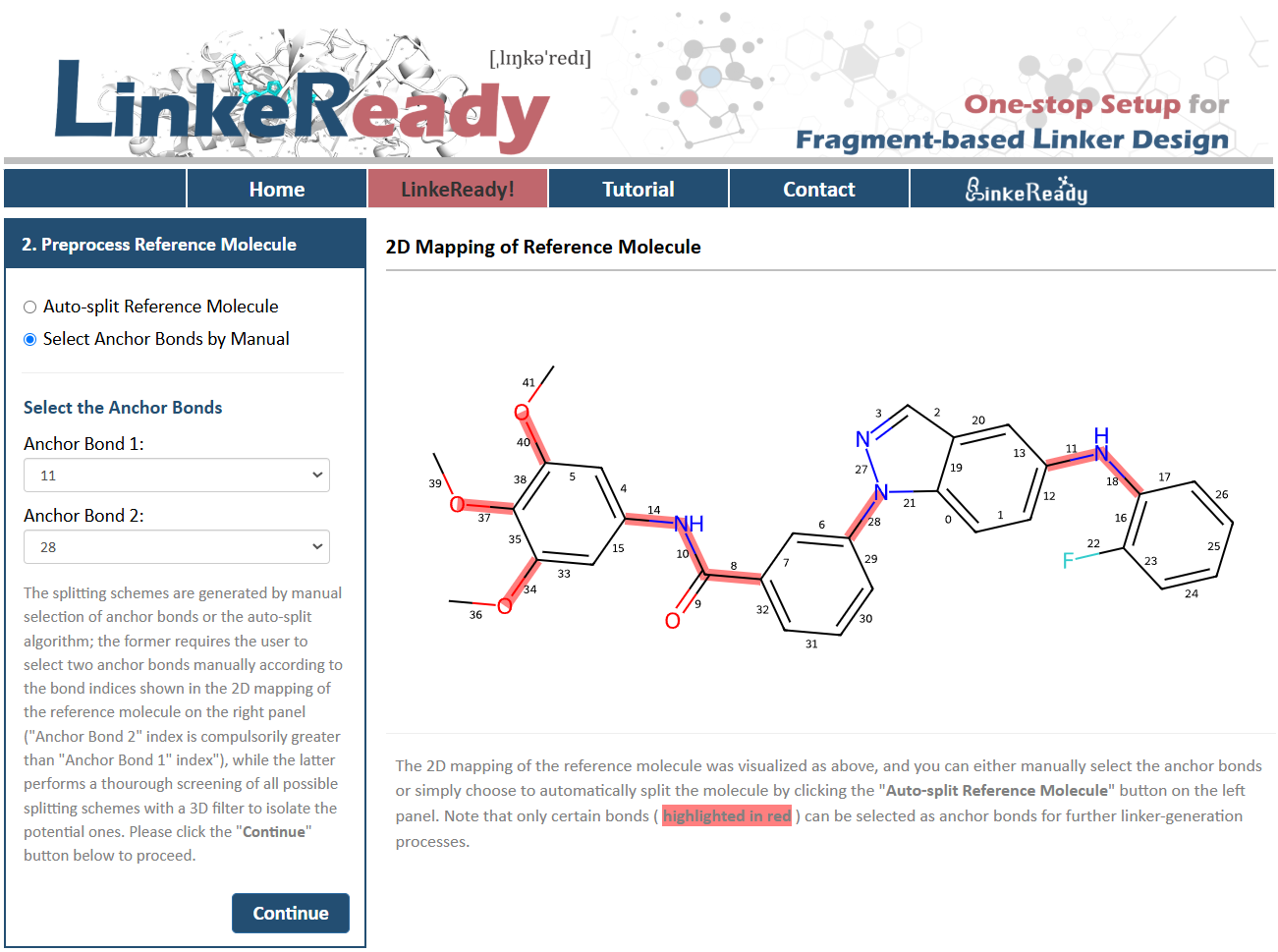
If users need to manually select the anchor bonds, they can select "Select Anchor Bonds by Manual". On the left side of the page, anchor bond 1 and anchor bond 2 can be specified by their number. It should be noted that only certain bonds ( highlighted in red ) can be selected as anchor bonds for further linker-generation processes. Then, click the "Continue" button and wait for the reference molecule to be split.
3.3 Confirm the Input Fragments
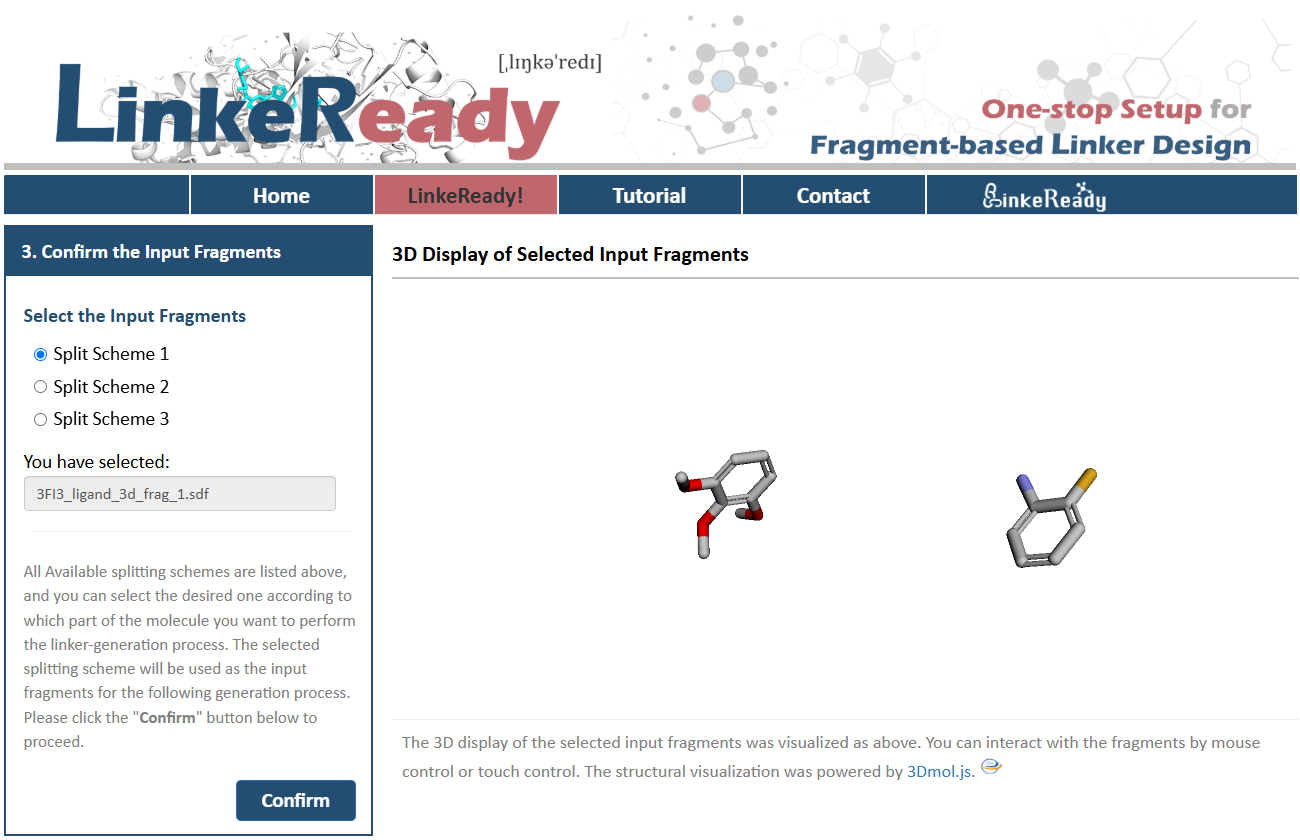
After the split process, all available splitting schemes are listed on the left side of page, and the 3D display of the selected input fragments is visualized on the right side. Users can select the desired one according to which part of the molecule they want to perform the linker-generation process. The selected splitting scheme will be used as the input fragments for the following generation process. Then click the "Confirm" button below to proceed.
3.4 Perform Linker Generation
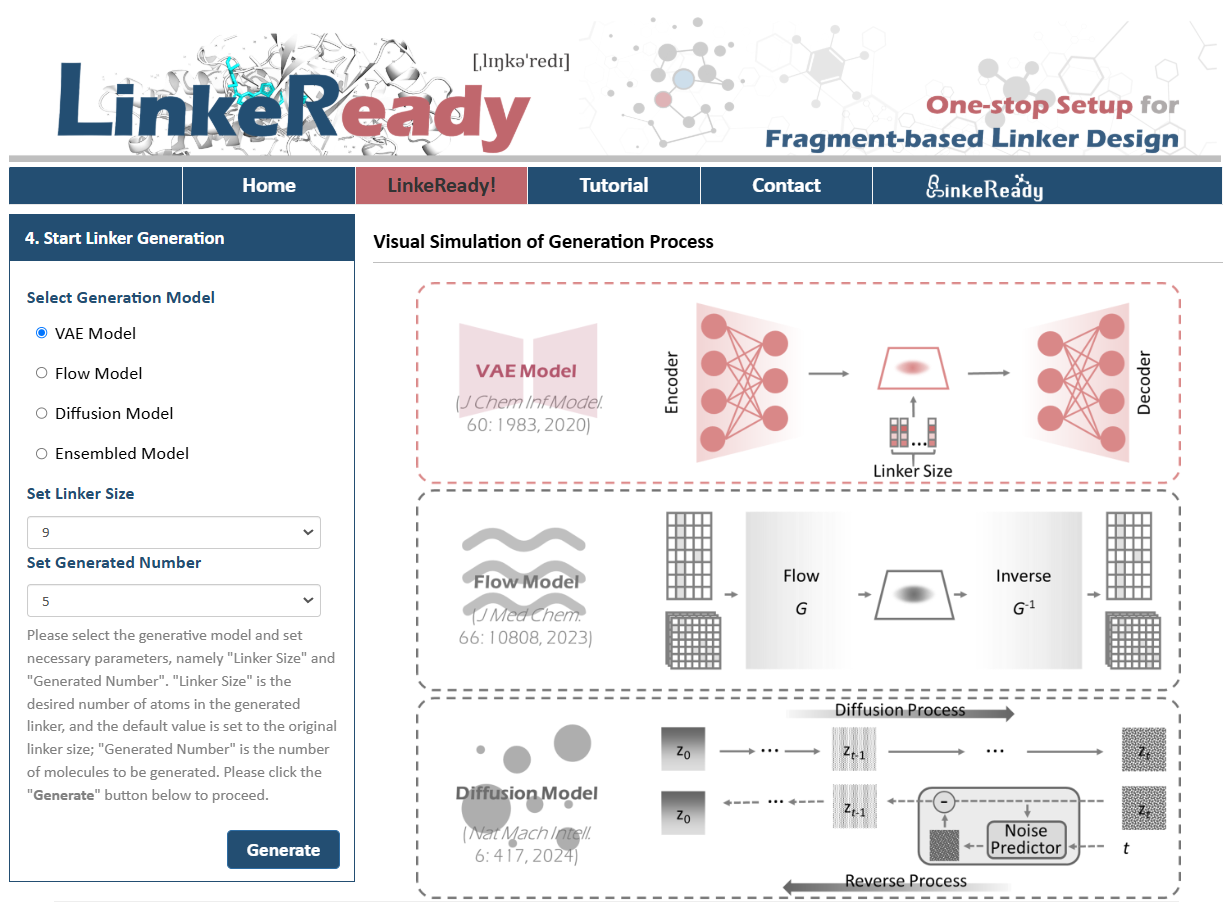
For the Linker-generation process, LinkeReady provides 3 different generation models, which are VAE model, Flow model and Diffusion model. The visualized generation process of the selected model is shown on the right side of the page. Users can choose the appropriate model according to the actual needs. Besides, users need to set linker size and number of generated molecules. "Linker Size" is the desired number of atoms in the generated linker, and the default value is set to the original linker size; "Generated Number" is the number of molecules to be generated. Based on input fragments, LinkeReady automatically generates the appropriate range of linker size, from which users can select a linker size for the generated molecule. If linker size is not specified, users can also select "sizeGNN", then LinkeReady will automatically generate molecules of the most appropriate linker size. Users can also specify the number of generated molecules, up to 20 molecules can be generated at one time on the front end server due to limited computational resources. Finally, click the "Generate" button and the generation process will start.
 @ZJU
@ZJU
Please feel free to visit our website at https://idrblab.org/

Dr. Ziqi PAN
(panziqi@zju.edu.cn)
Prof. Feng ZHU*
(zhufeng@zju.edu.cn)


Address
College of Pharmaceutical Sciences,
Zhejiang University,
Hangzhou, China
Postal Code: 310058

Phone/Fax